Features

Everything your shop needs, in one system

Features built from a shop owner’s day, not from a marketing list. Each has its own page with real screens from the product.

Booking and daily work

wgtk.net/misk
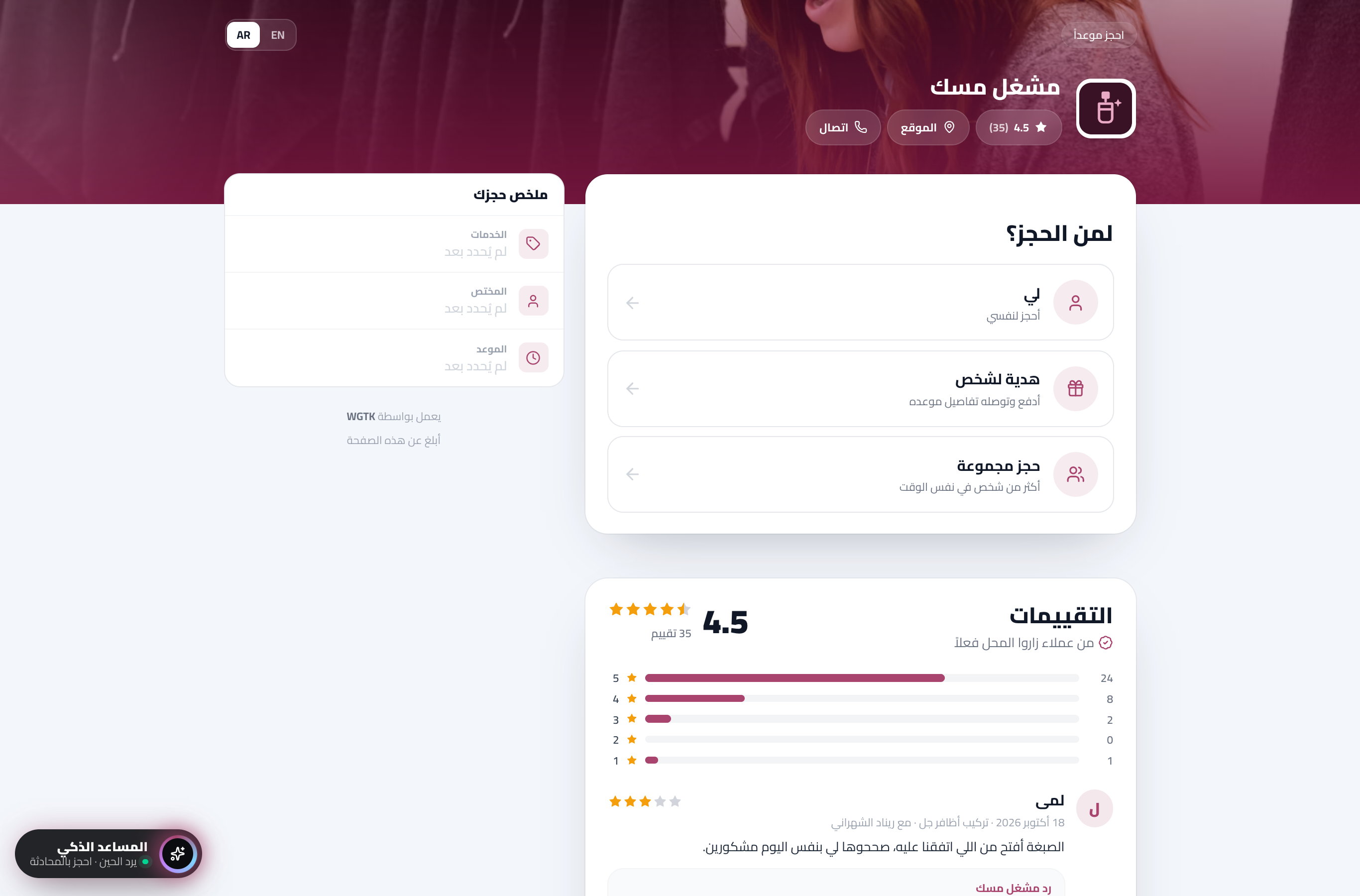
A shop’s booking page on WGTK: services with photos and prices, and the specialist and time to pick

A link in your shop’s name, and customers book themselves.

Your services, prices and free times on one page, and every booking reaches you confirmed.
  • Your link everywhere
  • Only the available times
  • Instant confirmation on their phone
Read about it
wgtk.net/admin/bookings
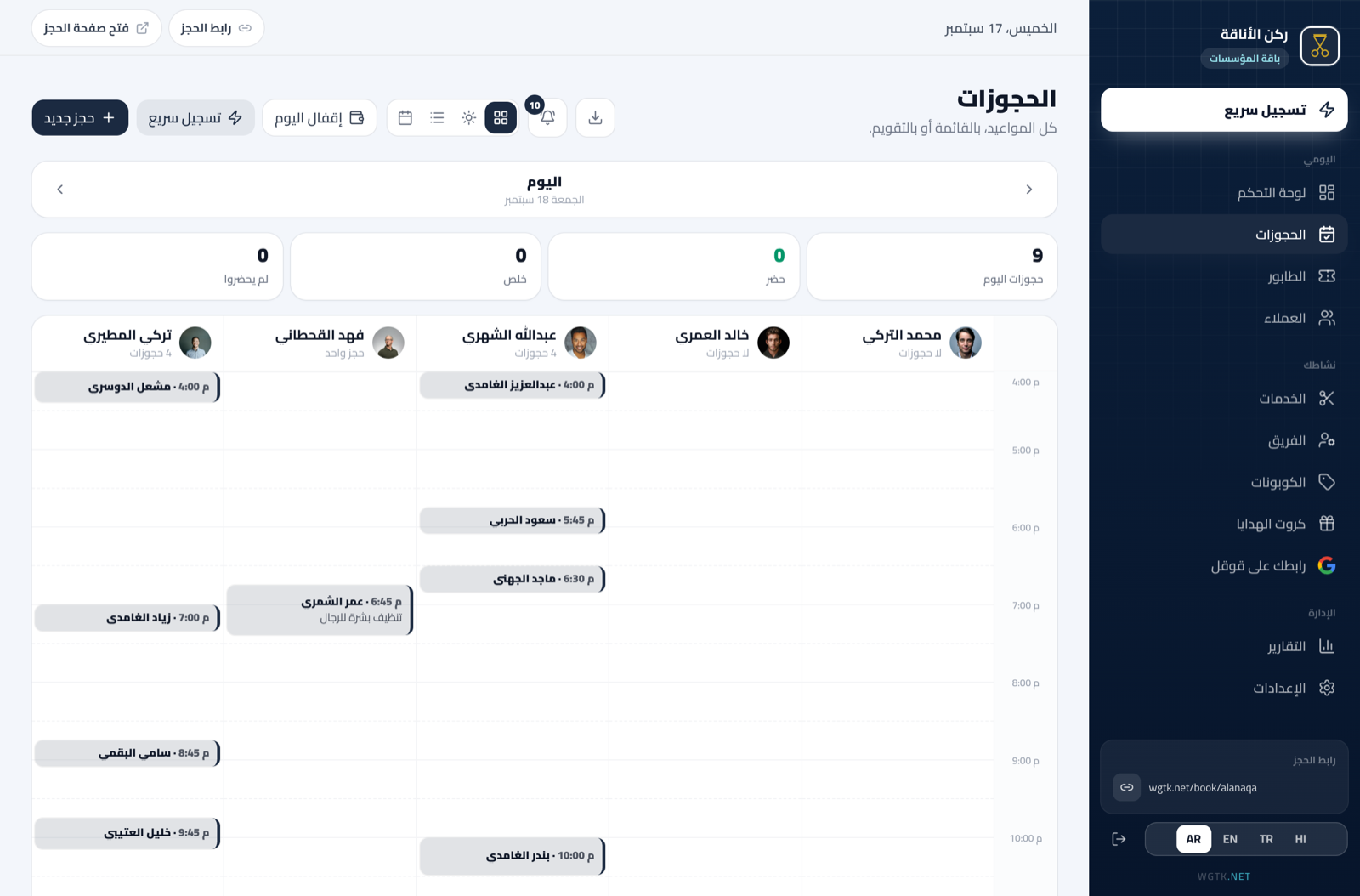
The Bookings page in the dashboard: one day with a column per staff member, and the Arrived and Done buttons

Your whole day on one screen, and your team sees it.

Every person’s appointments in front of you, arrivals and finishes marked in a tap, and your team on the same screen.
  • A day per staff member
  • Clashes are impossible
  • Arrived and done in one tap
Read about it
wgtk.net/admin/queue
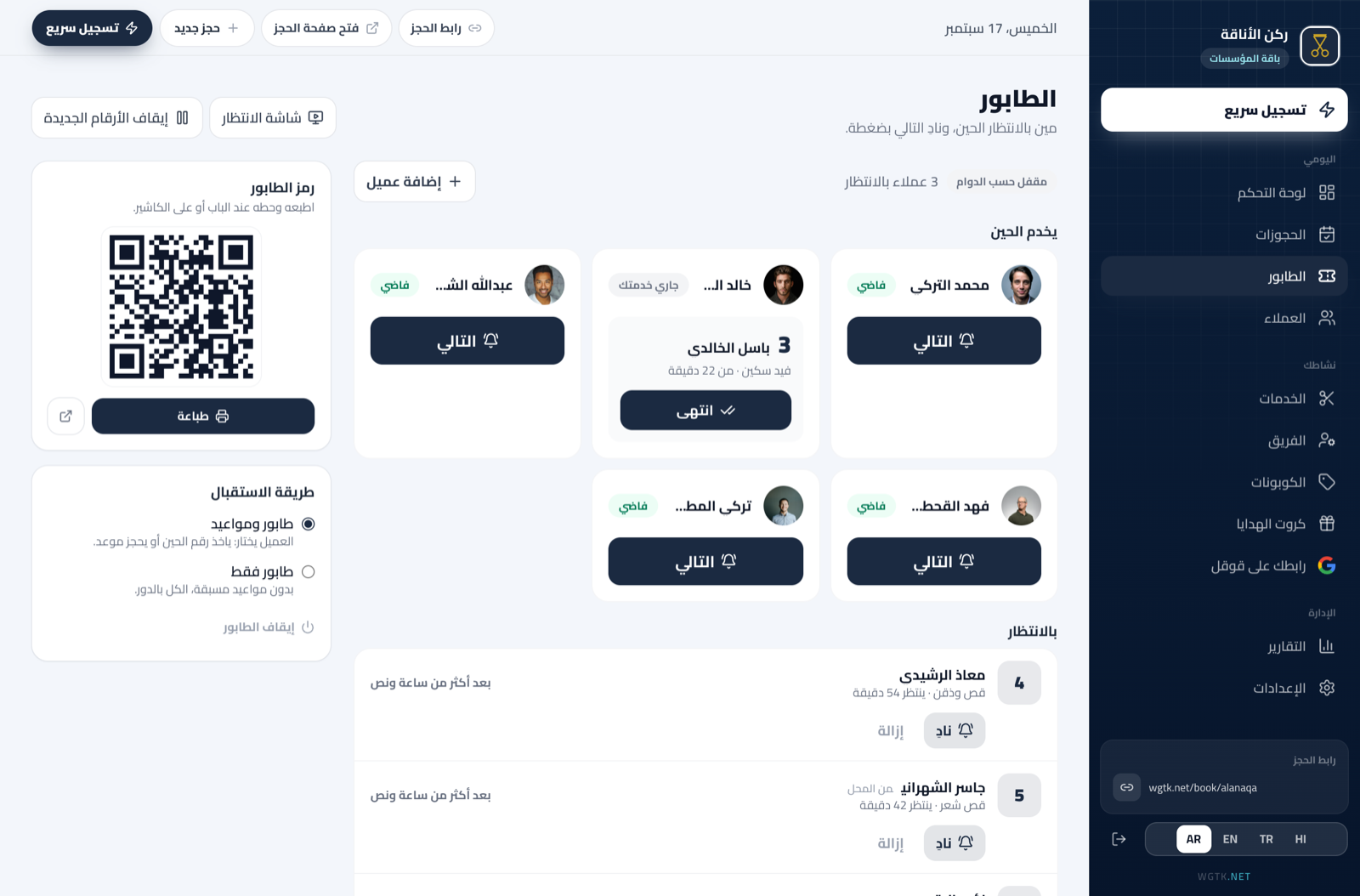
The Queue page in the dashboard: who is being served, who is waiting, and the Next button

No crowd at the door, everyone comes in their turn.

The customer takes a number on their phone and sees how many are ahead; you call the next in a tap.
  • A number from the phone
  • An honest expected wait
  • Call the next in one tap
Read about it
wgtk.net/admin/home-visits
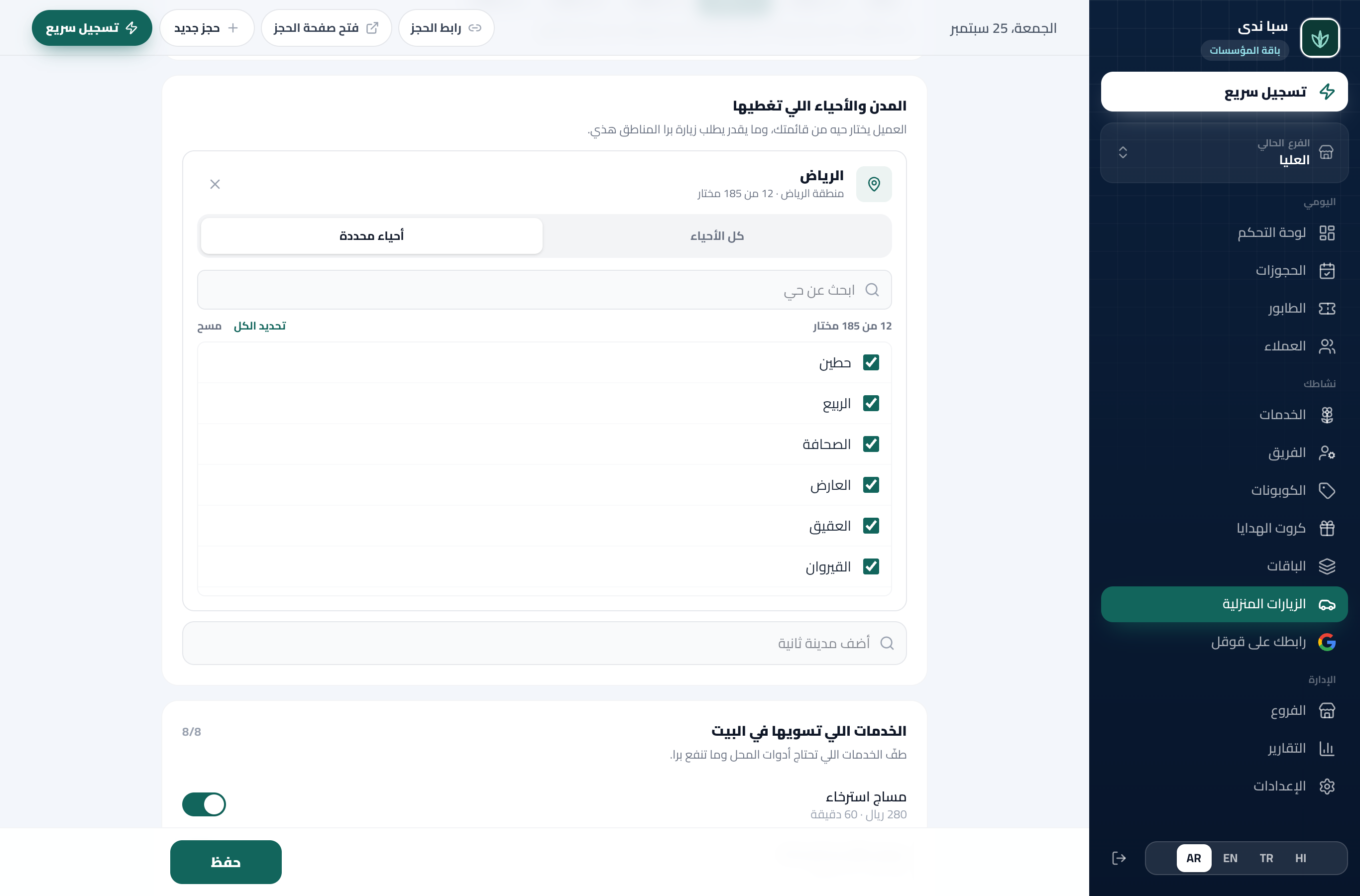
The home service settings: the covered cities and districts, the visit fee and travel time; on the phone, the map where the customer drops their pin

You go to the customer, and the schedule counts the road for you.

You set your districts and visit fee, the customer drops a pin on the map in a tap, and the travel time is blocked in your schedule.
  • Coverage by district, from the official list
  • The location in one tap
  • Travel time blocked
Read about it

Money and reports

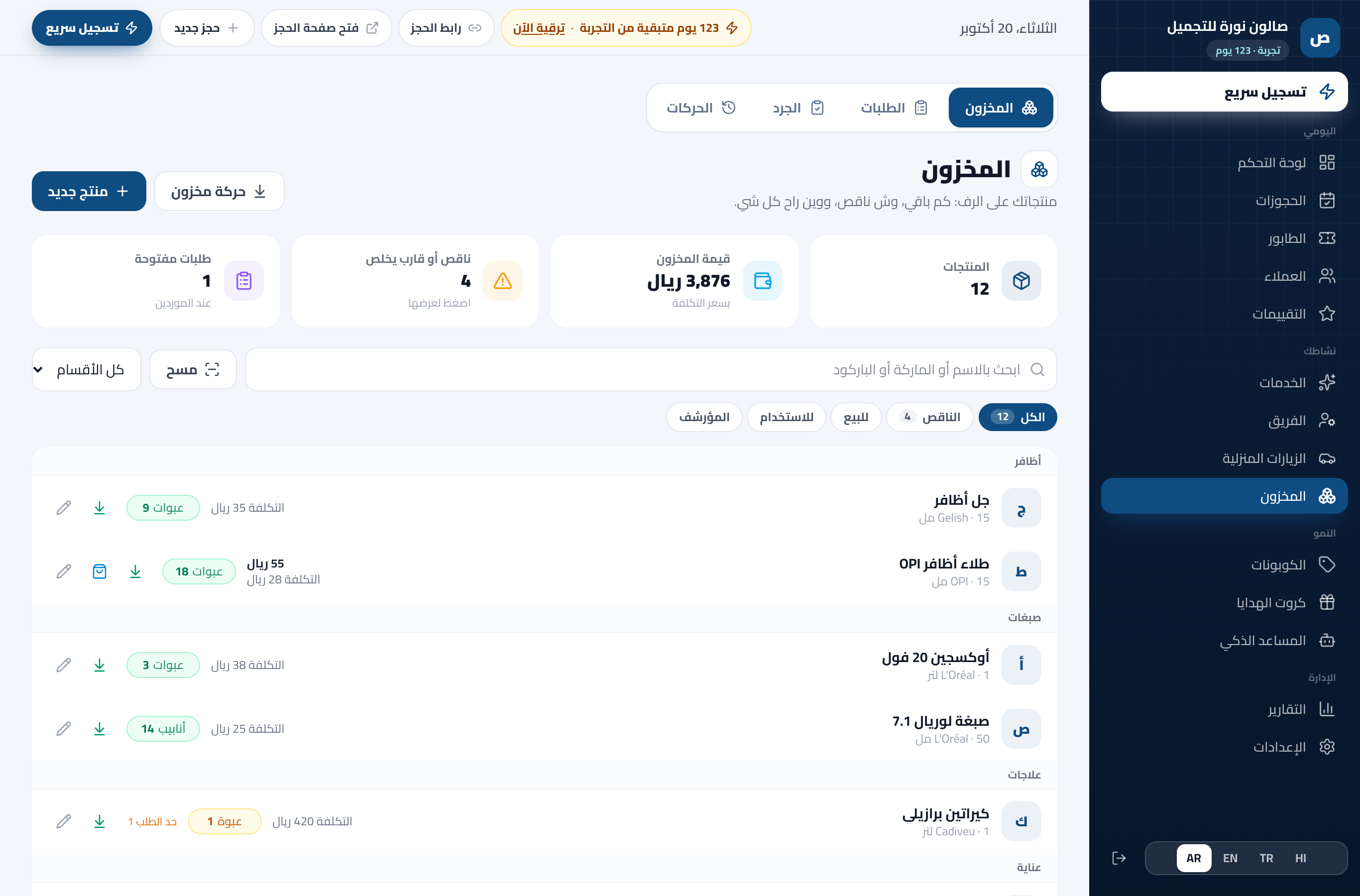
wgtk.net/admin/inventory
The Inventory page in the dashboard: products with their stock and cost, the stock value, and what is low and needs ordering

Every product on your shelf, counted without counting.

You enter your products once, and every sale, delivery and use writes itself. You know what is low before it runs out, and what each service really costs you.
  • A clear shelf
  • Goes down by itself
  • Order before it runs out
Read about it
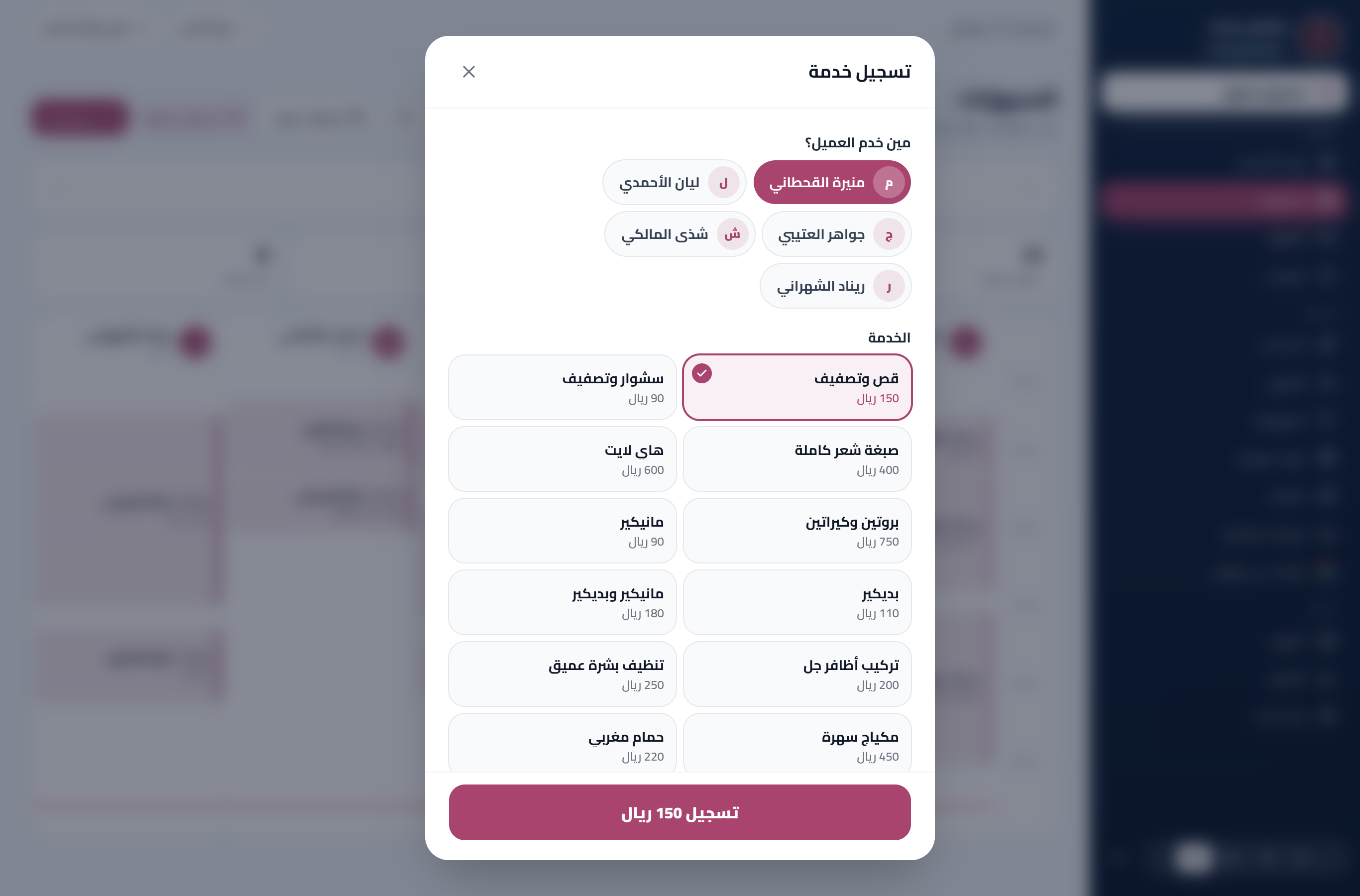
wgtk.net/admin/bookings
The record a service screen in the dashboard: who served the customer, the service and its price, and the record button with the amount

Every riyal that came in, you know from where and from whom.

Every service is recorded with its amount and payment method in three taps, and at the end of the day you close in numbers.
  • Recorded in three taps
  • Cash, card, transfer
  • The day closed in numbers
Read about it
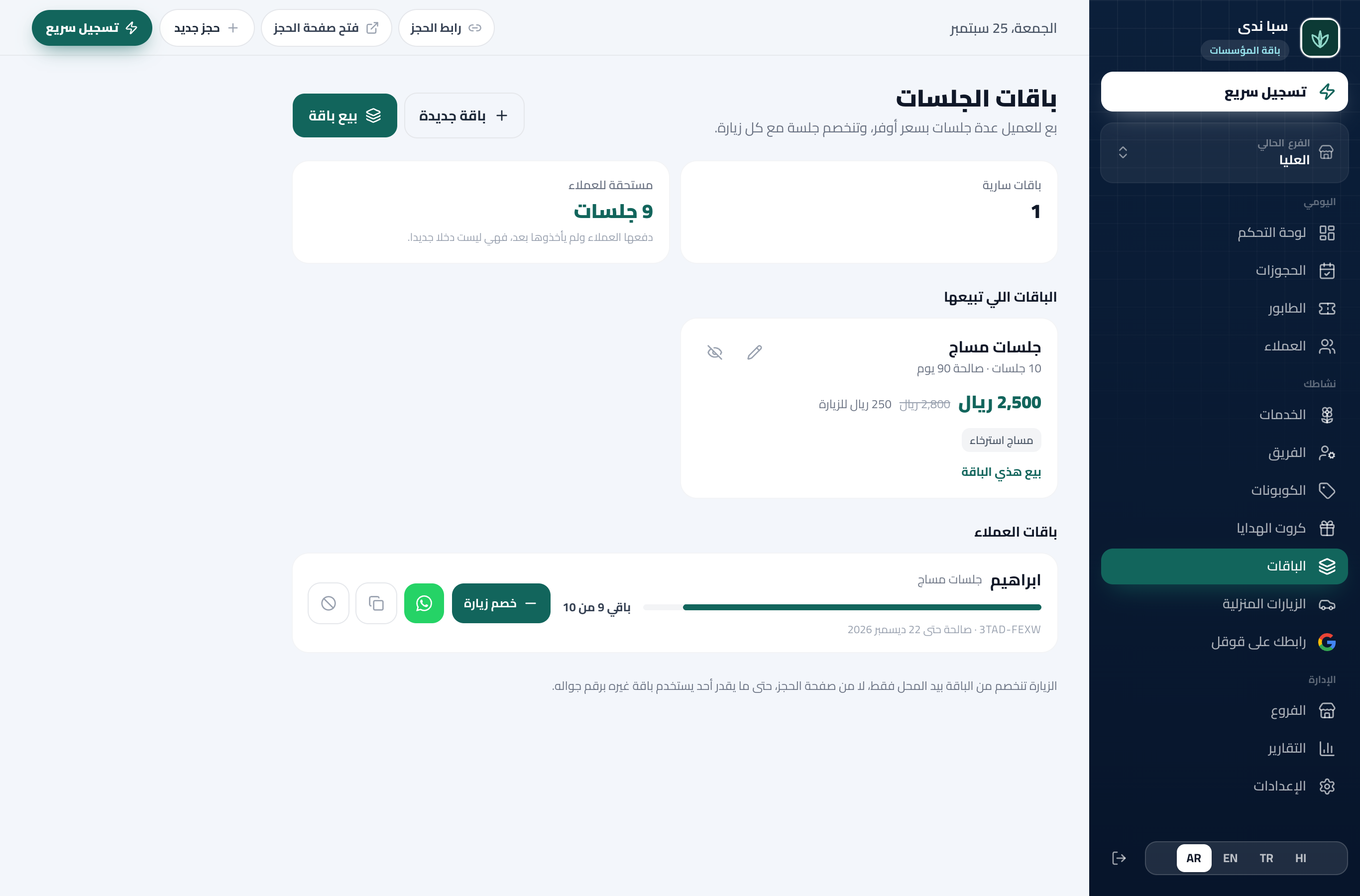
wgtk.net/admin/packages
The Packages page in the dashboard: the packages on offer, and the sold ones with how many visits each has left

Sell ten visits once, and the customer comes back ten times.

You create a package and sell it by the customer’s number; they book from it themselves and the visit is deducted by itself.
  • A package in your trade’s word
  • Sold by phone number
  • They book from it themselves
Read about it
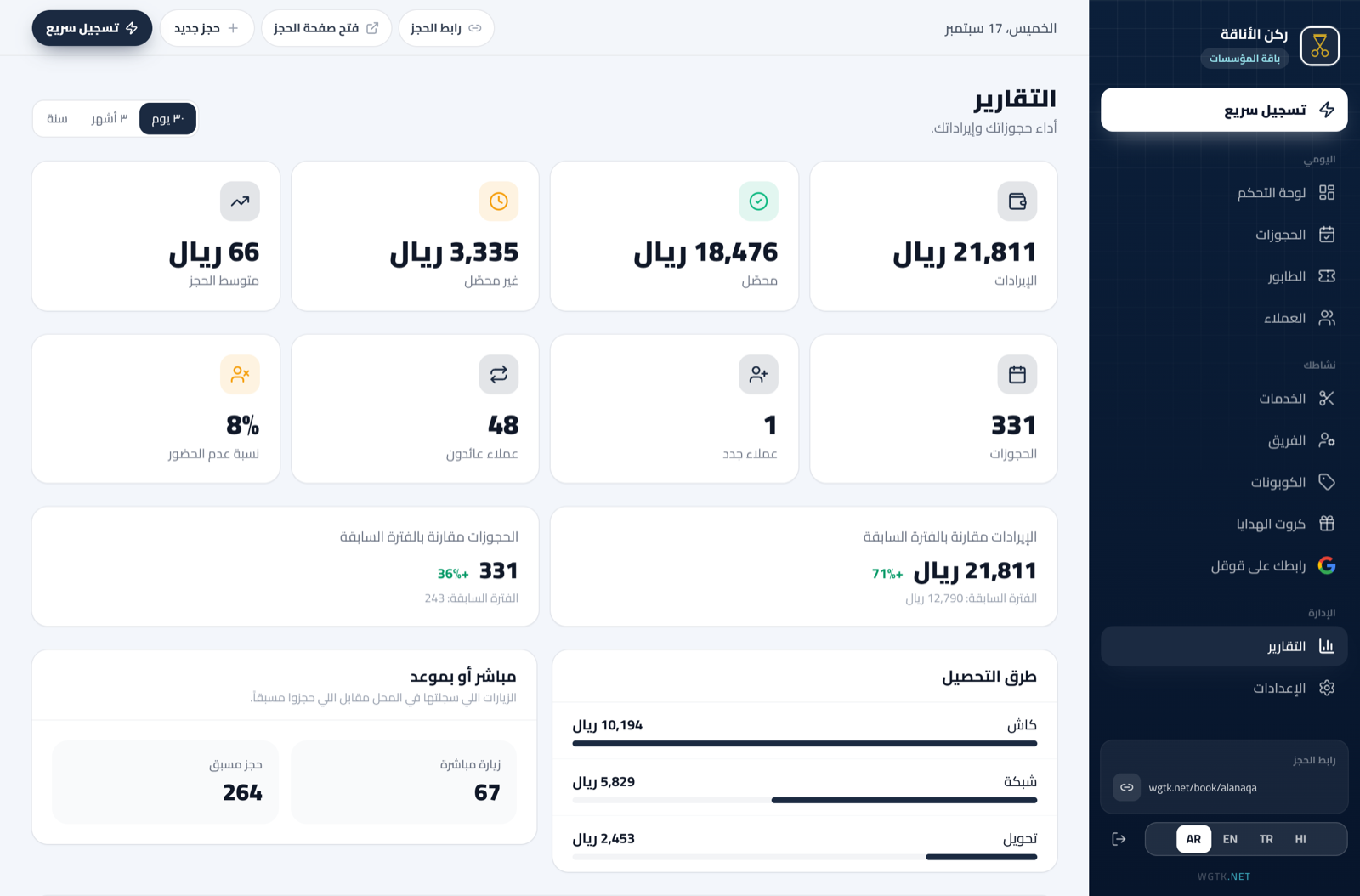
wgtk.net/admin/reports
The Reports page: revenue against the previous period, team performance, and services by revenue

Know what your shop made, and where it came from.

Revenue, services, team and customers, ready from your bookings with nothing to type.
  • Revenue, compared
  • Your most requested services
  • Team performance
Read about it
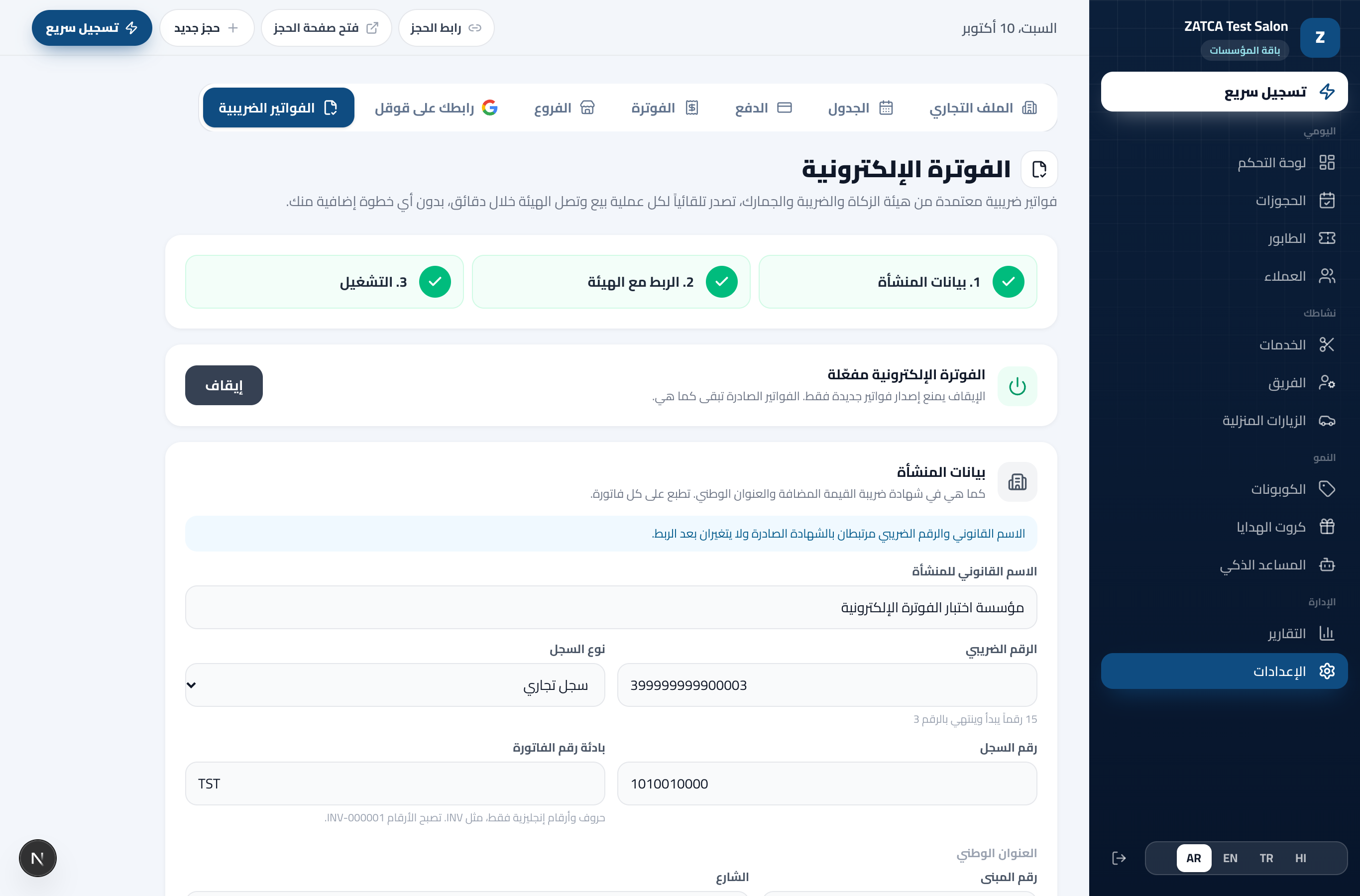
wgtk.net/admin/invoicing
The e-invoicing page in the dashboard: the three steps complete, the shop linked with the authority and invoicing on, and the business details as printed on every invoice

A complete booking system, ZATCA compliant.

Every sale in your shop becomes a digitally signed tax invoice that reaches the authority within minutes and your customer as a link. No accounting software, no middleman, no extra step for you.
  • Issued by itself with every sale
  • Linked directly with Fatoora
  • A chain that never breaks
Read about it

Customers and marketing

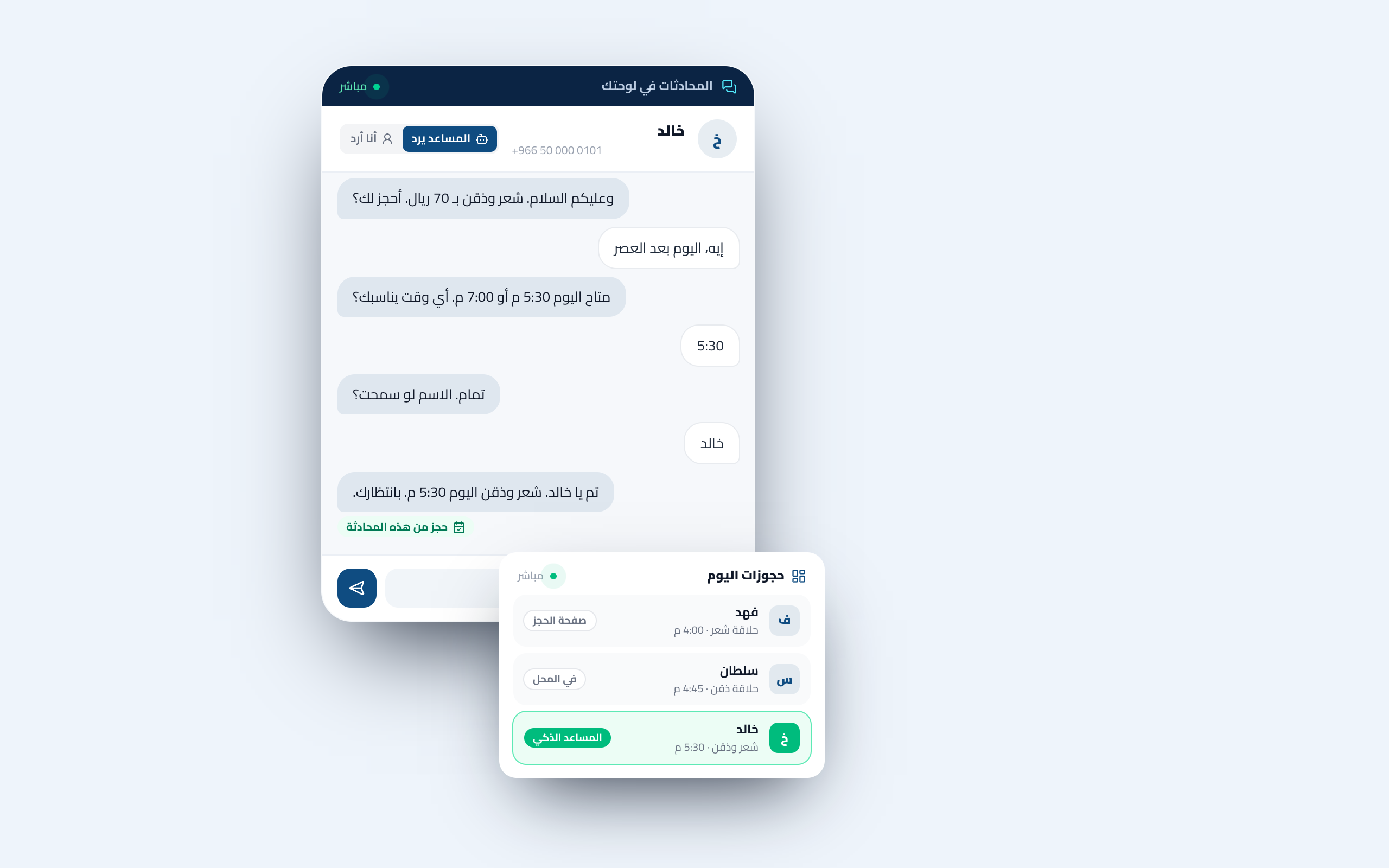
wgtk.net/admin/conversations
The Conversations screen in the dashboard: a customer asks the price, the AI assistant replies and confirms the booking, and it lands on today’s board

Answers your customers on WhatsApp, and books for them.

A smart receptionist on your shop’s WhatsApp number: it answers with your prices and hours, offers the open times, and confirms the booking in the same chat.
  • Answers from your shop’s facts
  • Books inside the chat
  • You decide who replies
Read about it
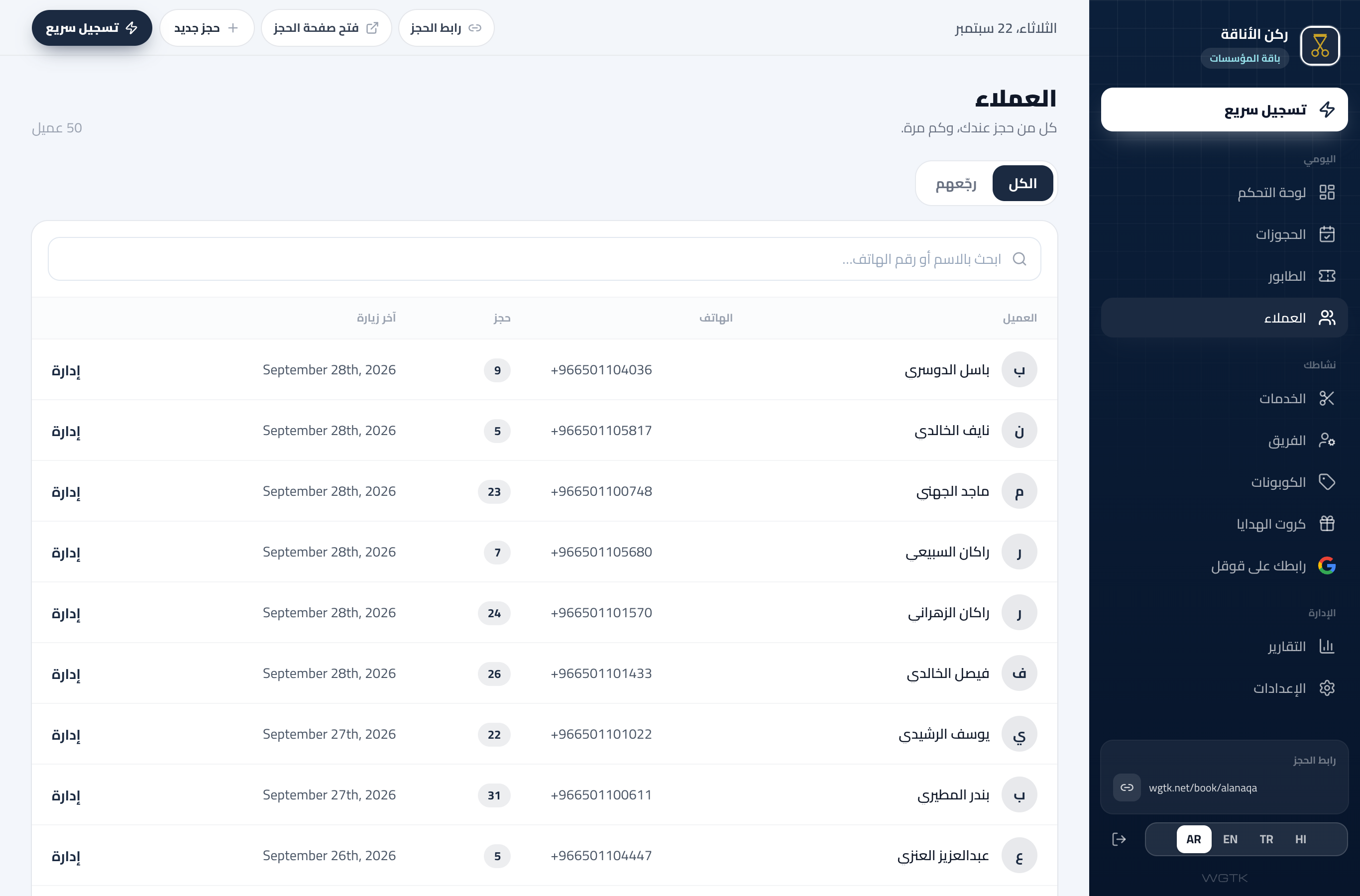
wgtk.net/admin/customers
The Customers page: each customer with their visit count and last visit, and the Bring them back tab

A record for every customer, built by itself.

Everyone who booked with you has a profile: visits, services and their last visit. You know who stayed away, and bring them back.
  • Name, number and visits
  • Search by name or number
  • Bring them back
Read about it
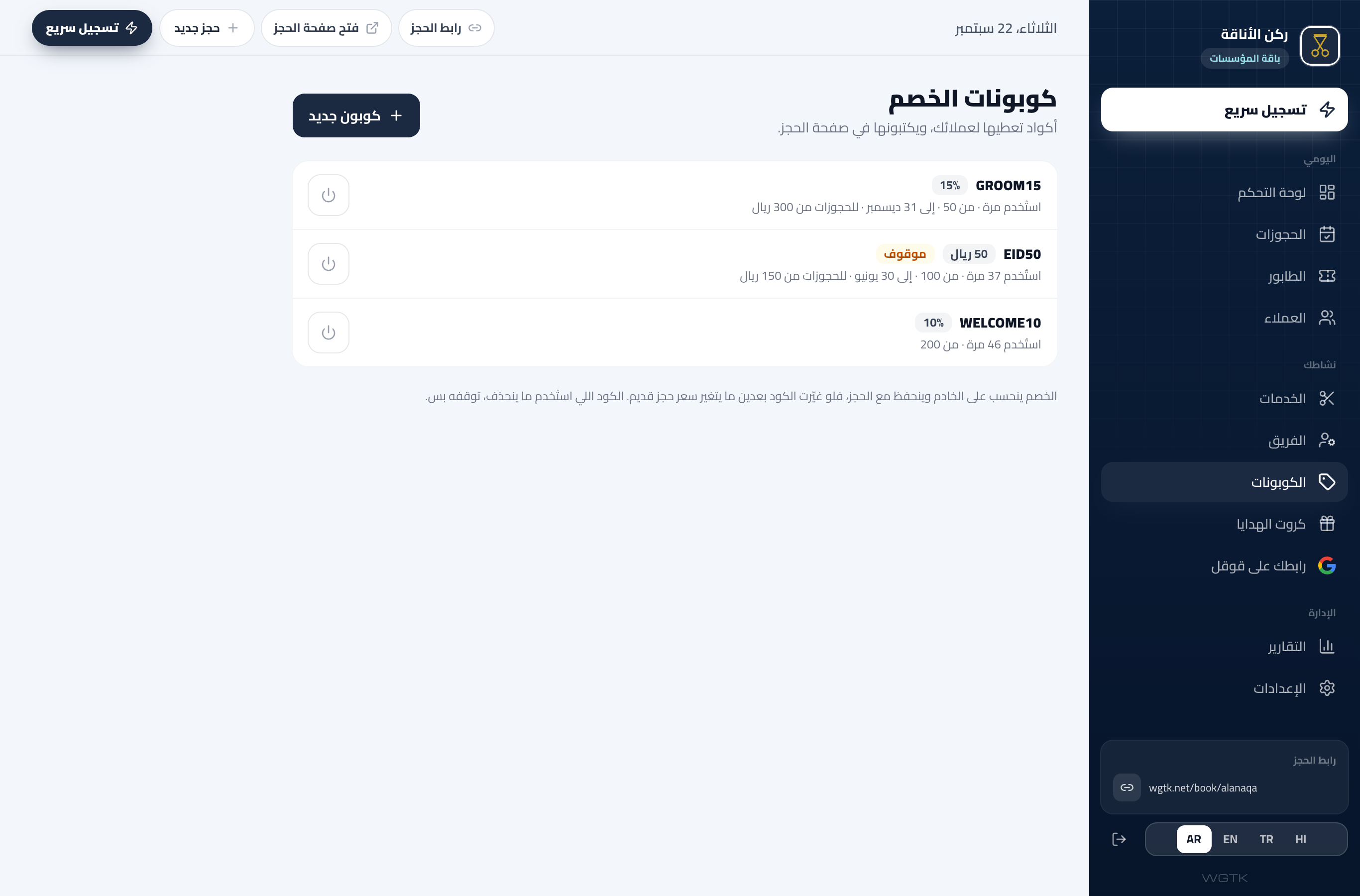
wgtk.net/admin/coupons
The Discount codes page: codes by percent or amount, each with its end date and use count

Your offers and gifts, no paper and no arithmetic.

A discount code the customer types at booking, a gift card with a balance, and a whole visit as a gift. The discount is counted by itself.
  • A code by percent or amount
  • A gift card with a balance
  • A visit as a present
Read about it
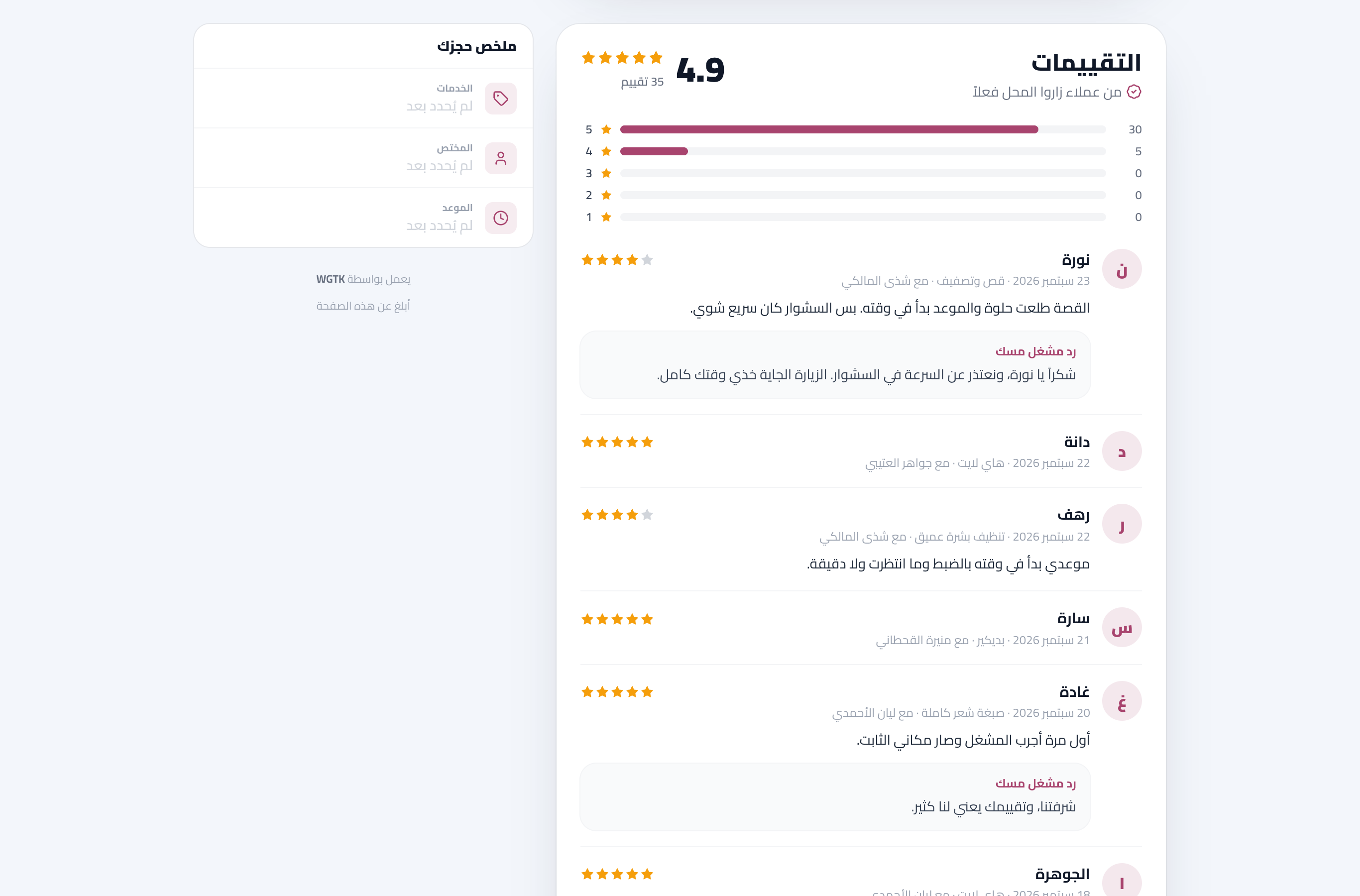
wgtk.net/misk
The reviews section on the booking page: the shop’s average, the star bars, and customer reviews naming who served them with the shop’s reply

What your customers said, on your booking page.

After every visit your customer gets a review link, whoever opens your page reads your shop’s average and each person’s stars, and the customer then gets your Google review link. All from visits that really happened.
  • Asked after every visit
  • Stars for your shop and each person
  • Your reply under the review
Read about it

Team and branches

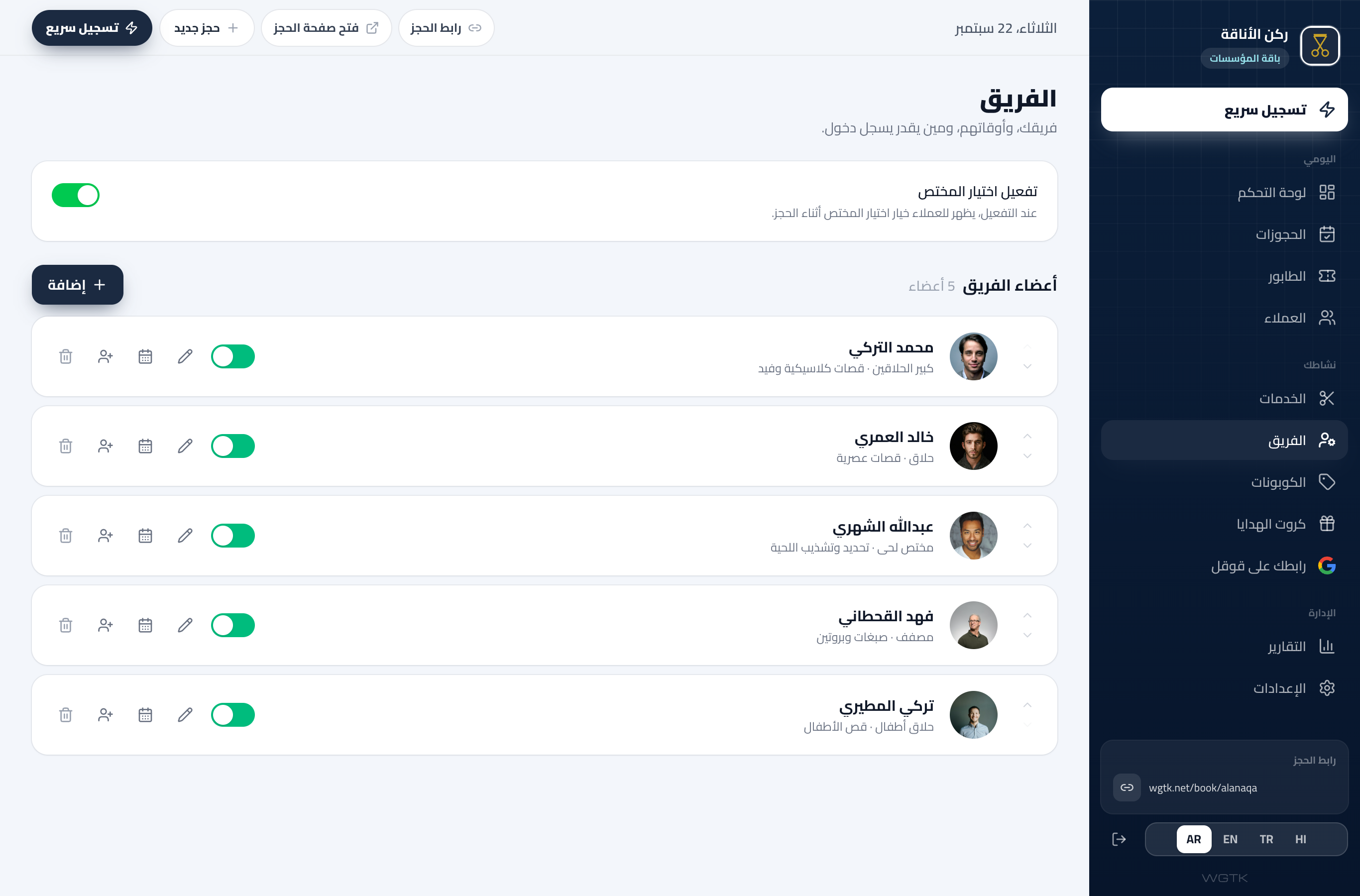
wgtk.net/admin/staff
The Staff page: team members with photos and specialties, and the Give login access button

Your team, each with a login, and you see everything.

Every person opens their appointments on their phone and runs their day, and you see the whole shop.
  • Photo, specialty and hours
  • A login link that works once
  • They see only their own
Read about it
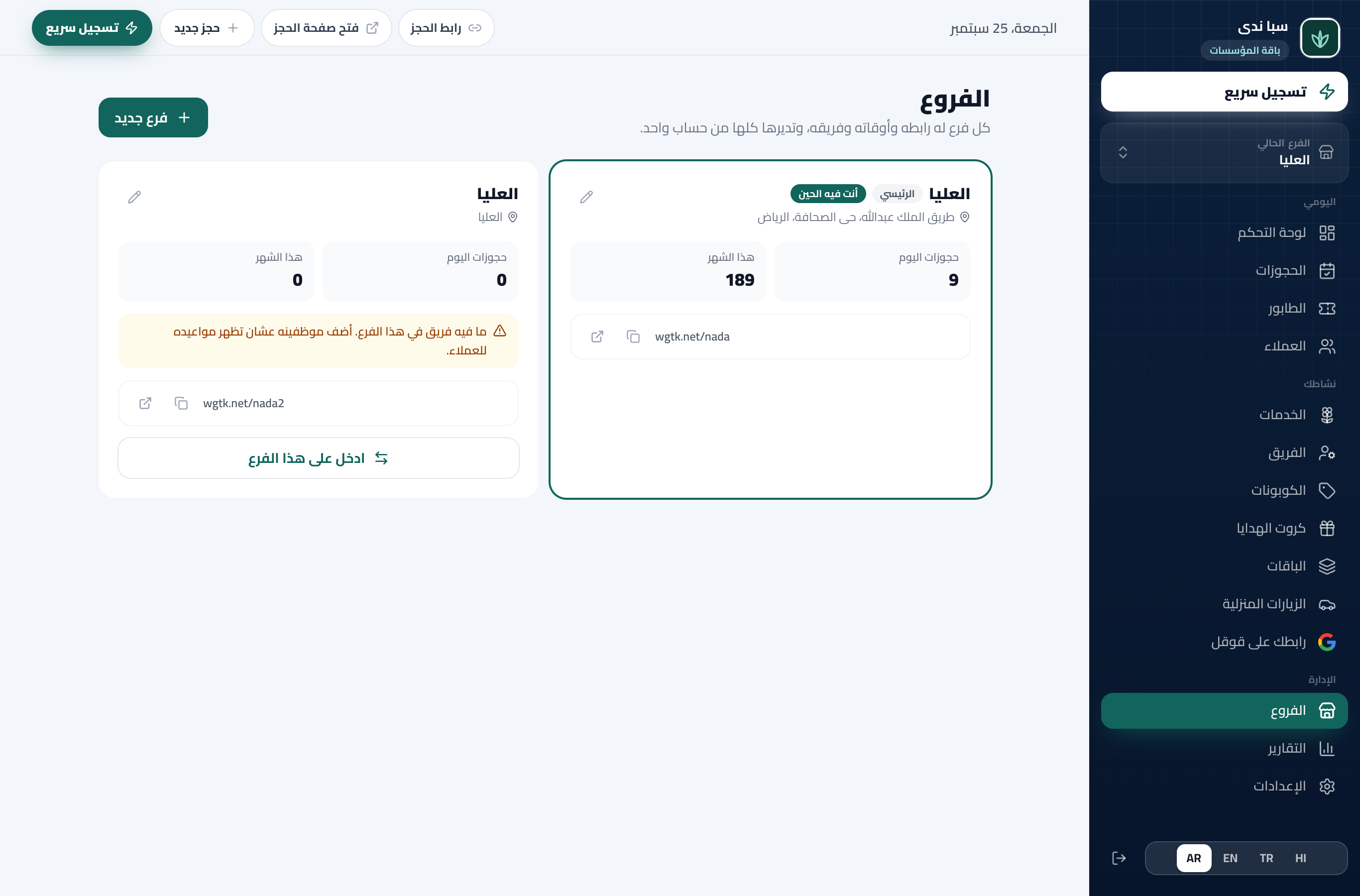
wgtk.net/admin/branches
The Branches page in the dashboard: each branch with today’s and this month’s bookings and its team size, and the Add branch button

A second branch? Same dashboard, same link.

Open a branch in a minute with its own services, team and bookings, and the customer picks their branch on your booking page.

  • Each branch on its own
  • One link for all of them
  • A manager per branch
Read about it

Start now, your link is ready in minutes

4 months free with everything, and no card needed.

Create your link now

No card · nothing to install · cancel anytime