A complete booking system, ZATCA compliant.
Every sale in your shop becomes a digitally signed tax invoice that reaches the authority within minutes and your customer as a link. No accounting software, no middleman, no extra step for you.
No card · nothing to install · live in 5 minutes
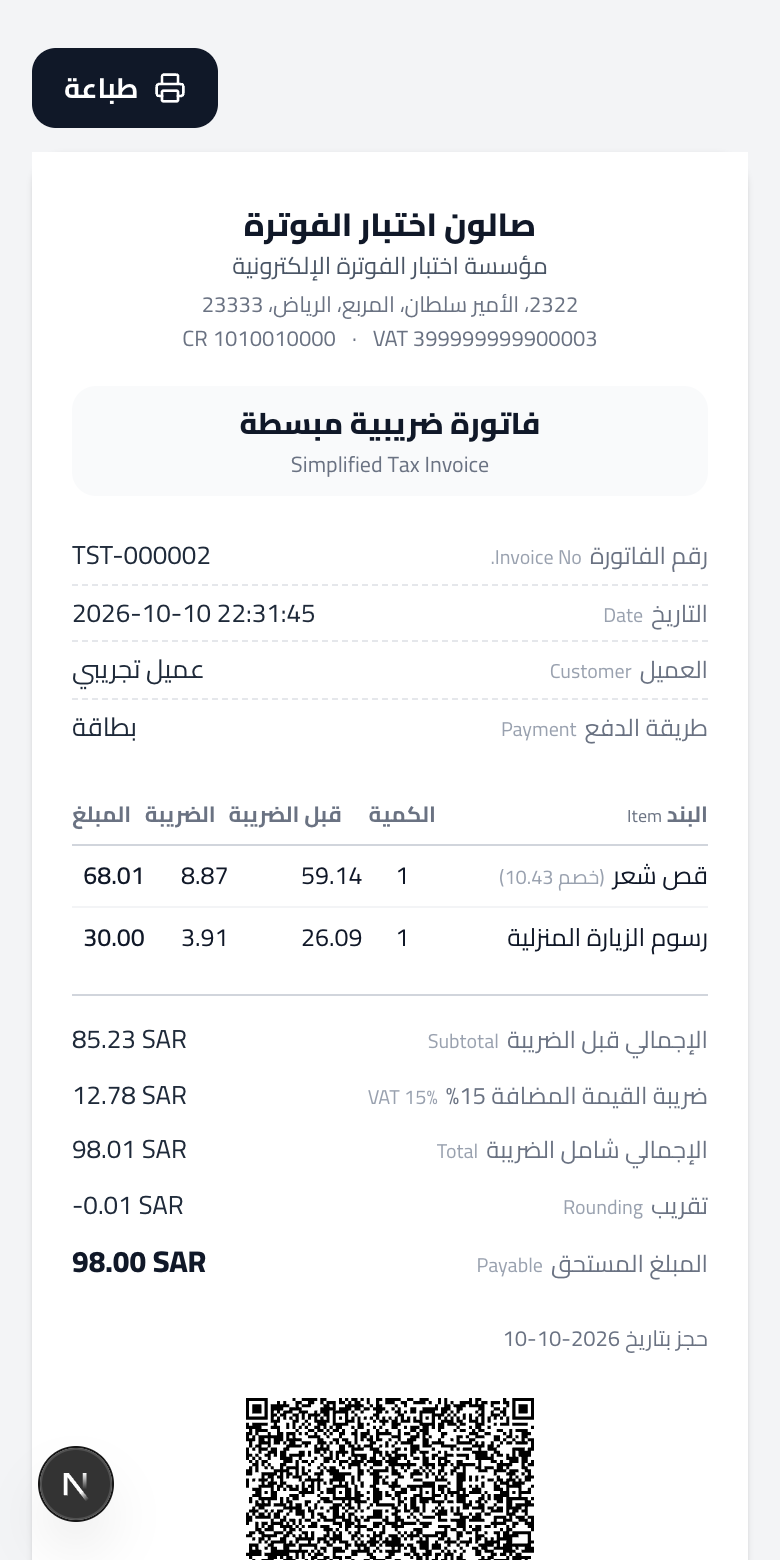
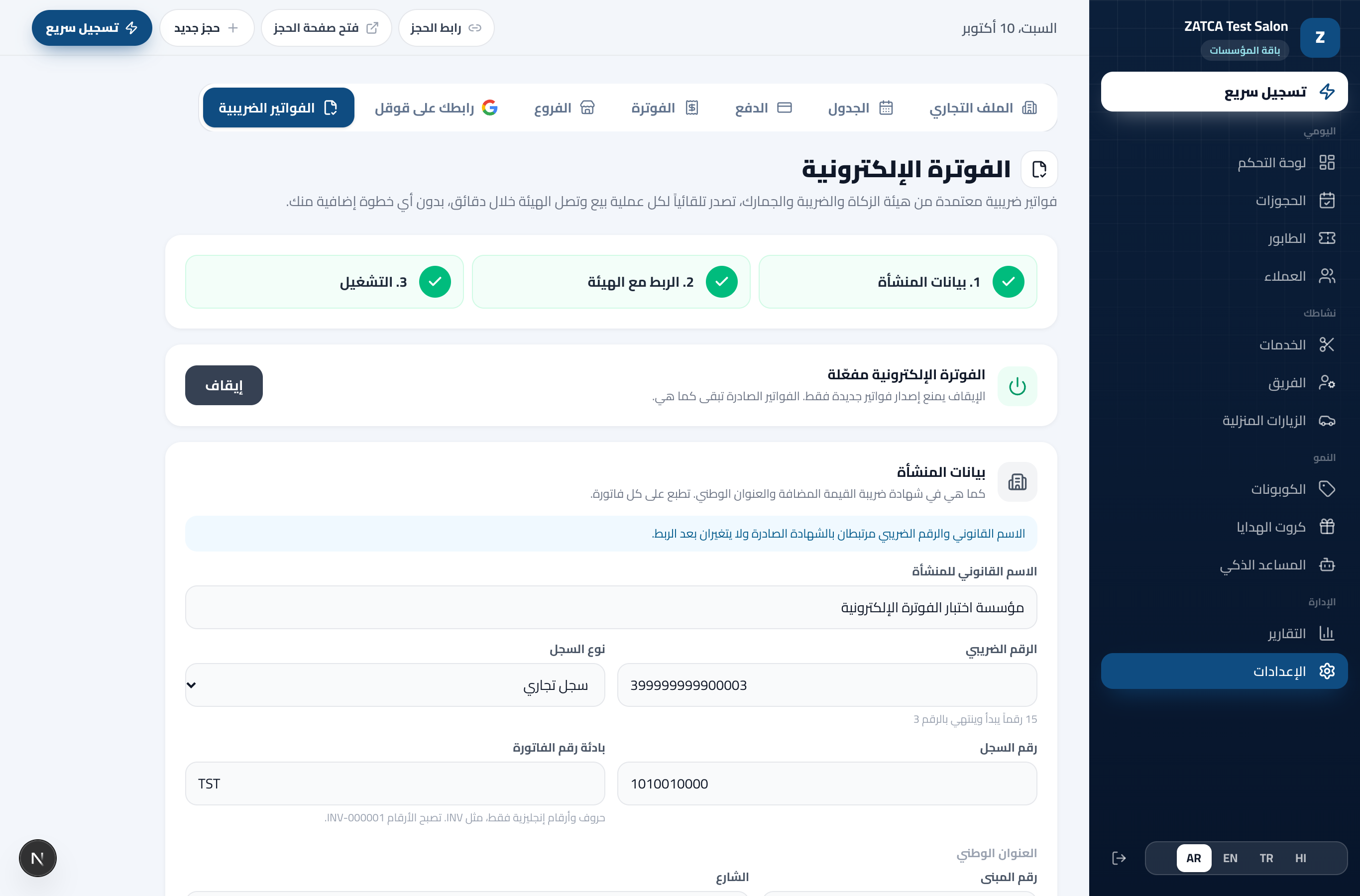
A real screen from the product

Compliant with the e-invoicing requirements, Phase 2
The integration phase: a direct link with the Fatoora platform under a digital certificate in your business’s name, and every document reported within the legal window.
- UBL 2.1
- XAdES signature
- ECDSA secp256k1
- Nine-field QR
- ICV / PIH hash chain
- Simplified invoice 388
- Credit note 381
E-invoicing
Issued by itself with every sale
Paid booking, counter sale, package, gift card
Seconds after a sale is recorded, a signed simplified tax invoice is issued and reported to the authority. A refund issues a credit note tied to its invoice, the same way.
Linked directly with Fatoora
One OTP from the authority’s portal
Create the code from your business account and paste it in your dashboard: a compliance certificate is issued, the authority’s six tests pass automatically, then the production certificate. The certificate is in your business’s name, not a middleman’s.
A chain that never breaks
A counter and a hash on every document
Every invoice carries the hash of the one before it and a sequence number that never repeats, and an issued document is never edited or deleted. This is what the authority checks, and what protects you in any audit.
Every document’s status at the authority
Accepted, cleared, with notes
A table of everything the shop issued and the authority’s reply, automatic resubmission when the connection fails, and a warning thirty days before the certificate expires. Plus a monthly file for the accountant.
Three steps, once
- 1
Complete your business details
Legal name, VAT number and national address as on your certificate. Printed on every invoice.
- 2
Link with Fatoora
An OTP from the authority’s portal, and the rest runs by itself: certificate, tests, production certificate.
- 3
Switch it on
From that moment every sale is an invoice, and every invoice is at the authority and with your customer.
What happens in the seconds after a sale
Six steps every document goes through, all inside WGTK and all to the authority’s specification.
- 01
The sale is recorded
sale
A booking paid online or at the counter, a package or a gift card.
- 02
The document is built
UBL 2.1 XML
With the Saudi fields: seller and VAT number, lines, discounts, 15% VAT.
- 03
Digital signature
XAdES · ECDSA
Under the business’s certificate issued by the authority, on the secp256k1 curve.
- 04
Hash chain
SHA-256 · ICV · PIH
The document’s hash, the previous one’s, and a counter that never repeats or skips.
- 05
QR code
TLV × 9
Nine fields in TLV encoding, signature and public key included, readable by the authority’s app.
- 06
Reporting
fatoora
The document goes to the Fatoora platform and its reply is kept; retried automatically if it fails.
What your shop gains
No accounting software
The invoice comes from the booking system itself.
No middleman
The certificate is in your name, the link is direct.
Ready for any audit
A complete chain, with the authority’s reply kept for every document.
Who e-invoicing is for
Law Firm
A consultation paid from the booking page has its invoice issued at payment, and the client gets it in the confirmation message.
Personal Training
A block of sessions sold as a package has its VAT invoice issued with the sale, not with every session.
Spa
A session paid by mada or Apple Pay, with its QR invoice in the WhatsApp message and on the booking page.
Questions about this feature
Every VAT-registered business does, and the authority brings businesses into Phase 2 in waves by revenue. If you are not VAT-registered you do not need it.
No. WGTK links your shop directly with the Fatoora platform under a certificate in your business’s name, and issues and reports the invoices itself. No fee per invoice.
Invoicing starts the moment you switch it on. Earlier sales stay in your books as they are, and a document issued by WGTK is never edited or deleted.
A credit note tied to the original invoice is issued and reported like it. You can also issue one by hand from the dashboard for a refund the system did not record.
Enterprise. The free trial opens it for four months so you can try it on your shop.
Start now, your link is ready in minutes
4 months free with everything, and no card needed.
Create your link nowNo card · nothing to install · cancel anytime