A second branch? Same dashboard, same link.
Open a branch in a minute with its own services, team and bookings, and the customer picks their branch on your booking page.
No card · nothing to install · live in 5 minutes
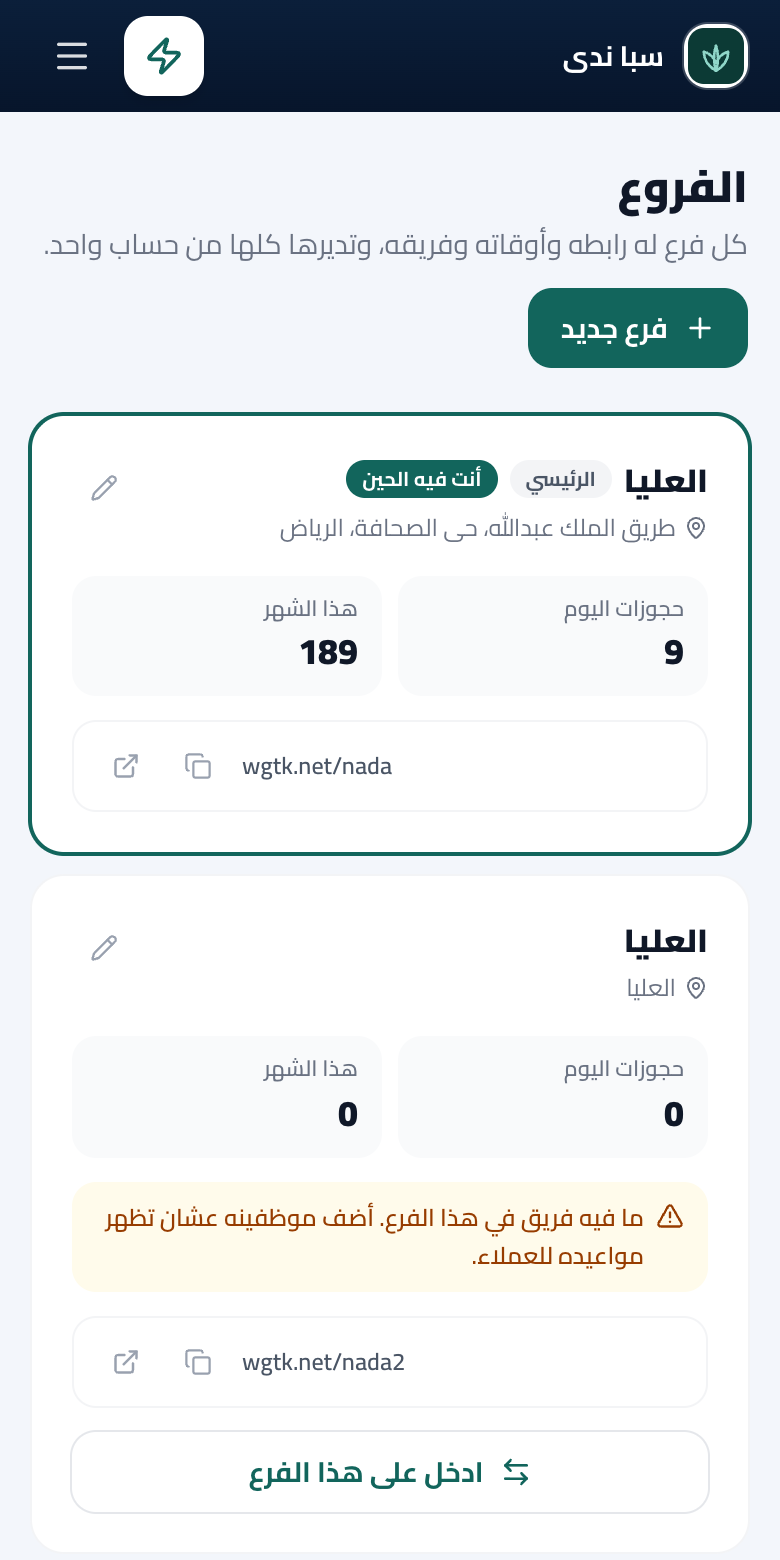
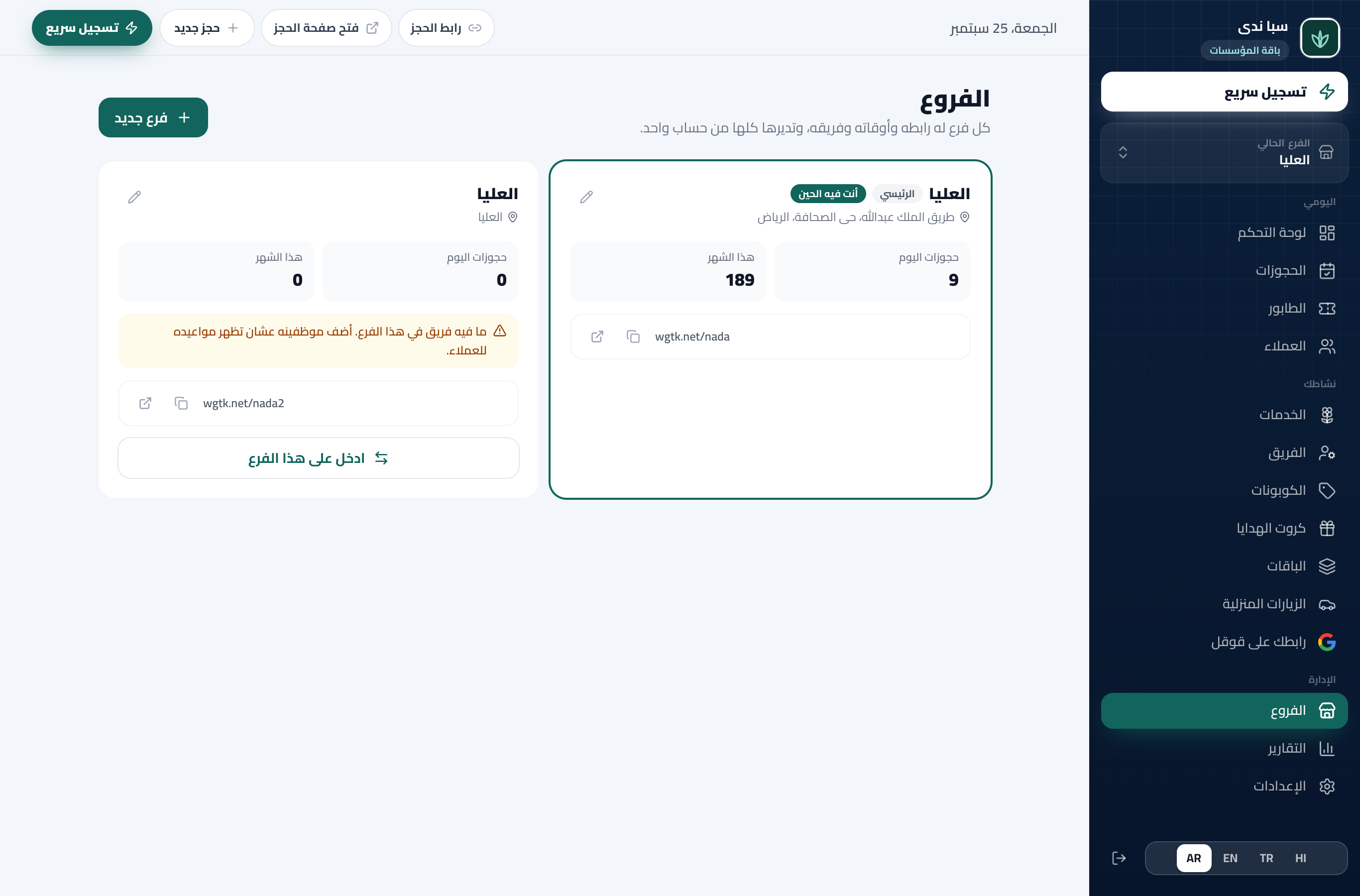
A real screen from the product
Branches
Each branch on its own
Its own services, team and bookings
A rush in one branch never blocks the other, and each keeps its own hours.
One link for all of them
The customer picks the branch first
Your booking page as it is, and each branch has a direct link too if you want to share it alone.
A manager per branch
You choose what they see
Revenue, services, team or offers, from the same team invite. You see everything.
All branches at a glance
Today’s and the month’s bookings per branch
And its team size, on one page, stepping into any branch without signing out.
How you open a branch
- 1
You add the branch
Its name, address and number.
- 2
You set it up
Its services, team and hours, and a manager if you like.
- 3
It runs
It shows to the customer as a choice on your booking page.
What your shop gains
Growth without chaos
A new branch in a minute.
One dashboard
Switch between branches in a tap.
Each branch with its numbers
And you see the total.
Who branches are for
Hair Salon / Barber
Two branches in Riyadh, and the customer books the nearest from the same link.
Restaurant
Three branches, and the owner sees tonight’s bookings in all of them on one page.
Sports Court
Courts in two districts, and one booking page where the player picks the nearest.
Questions about this feature
Up to twenty, with one login.
No. Their own branch only, with the permissions you set.
Branches are on the Enterprise plan, for salons, spas, restaurants, cafes, courts, coaches, classes and law firms.
Start now, your link is ready in minutes
4 months free with everything, and no card needed.
Create your link nowNo card · nothing to install · cancel anytime